CREATE A NEW REQUISITION REQUEST
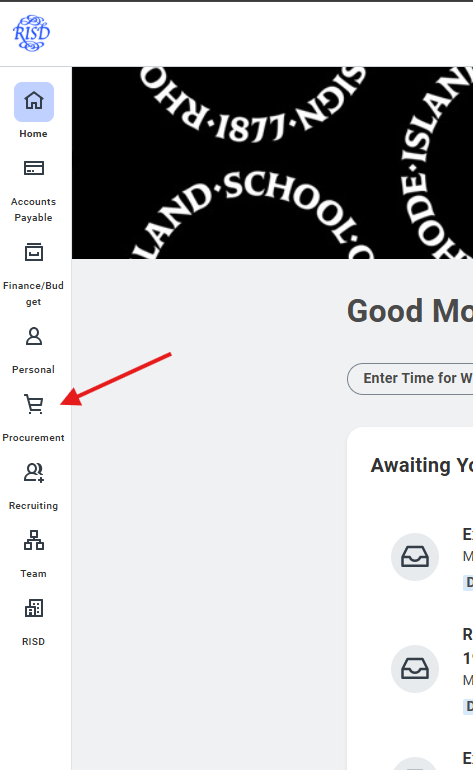
1) Click on the "Procurement" Worklet
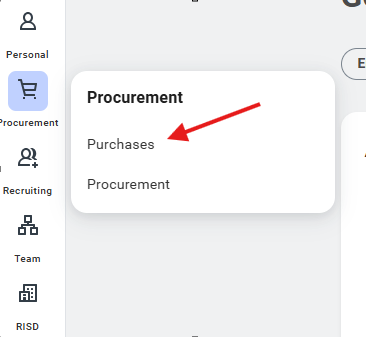
2) Choose "Purchases" in the sub menu
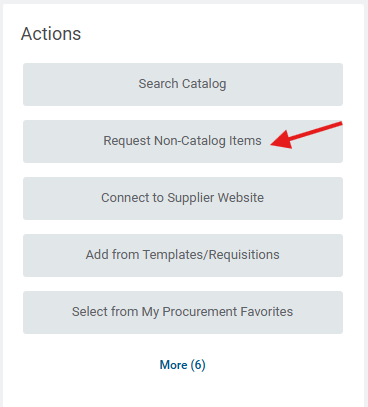
3) Choose "Request Non-Cataglog Items"
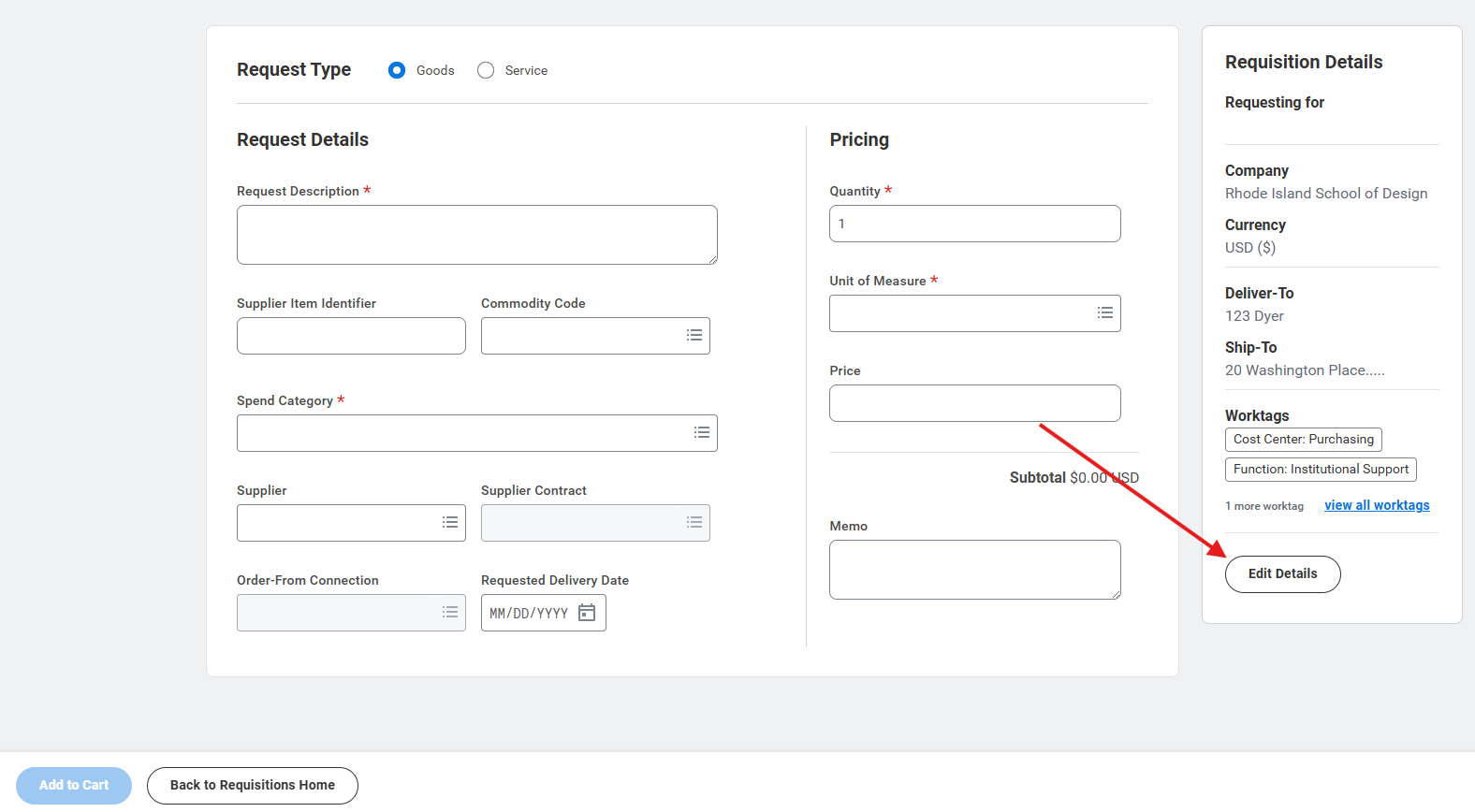
4) Complete the form for each line of your requisition. You may choose "goods" or "service" at the top of the form*. Click "Add to Cart" after each line.
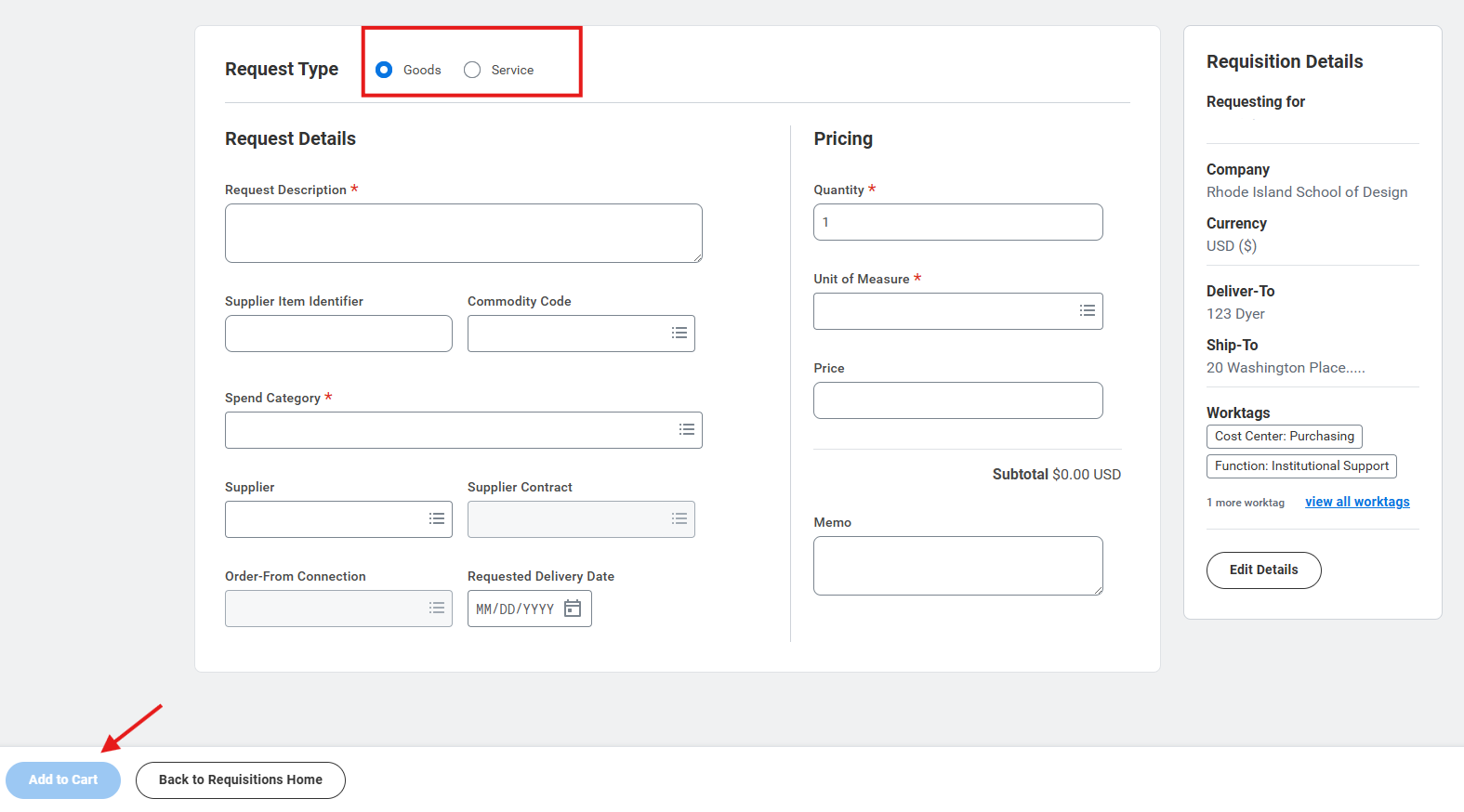
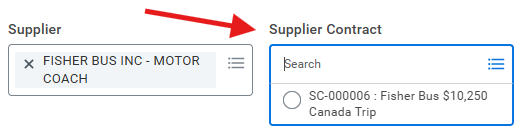
IF you're creating a requisition from a contract, select the contract from the "Supplier Contract" dropdown menu.
*Select Service as the req type if you're using a contract. This will allow multiple payments.
5) You may edit the requisition details (accounting string, deliver to address, etc..) by clicking the "Edit Details"
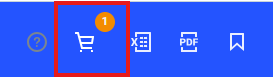
6) When you are ready to submit the requisition, click on the "Shopping Cart" in the upper right corner of the screen and click "Checkout".
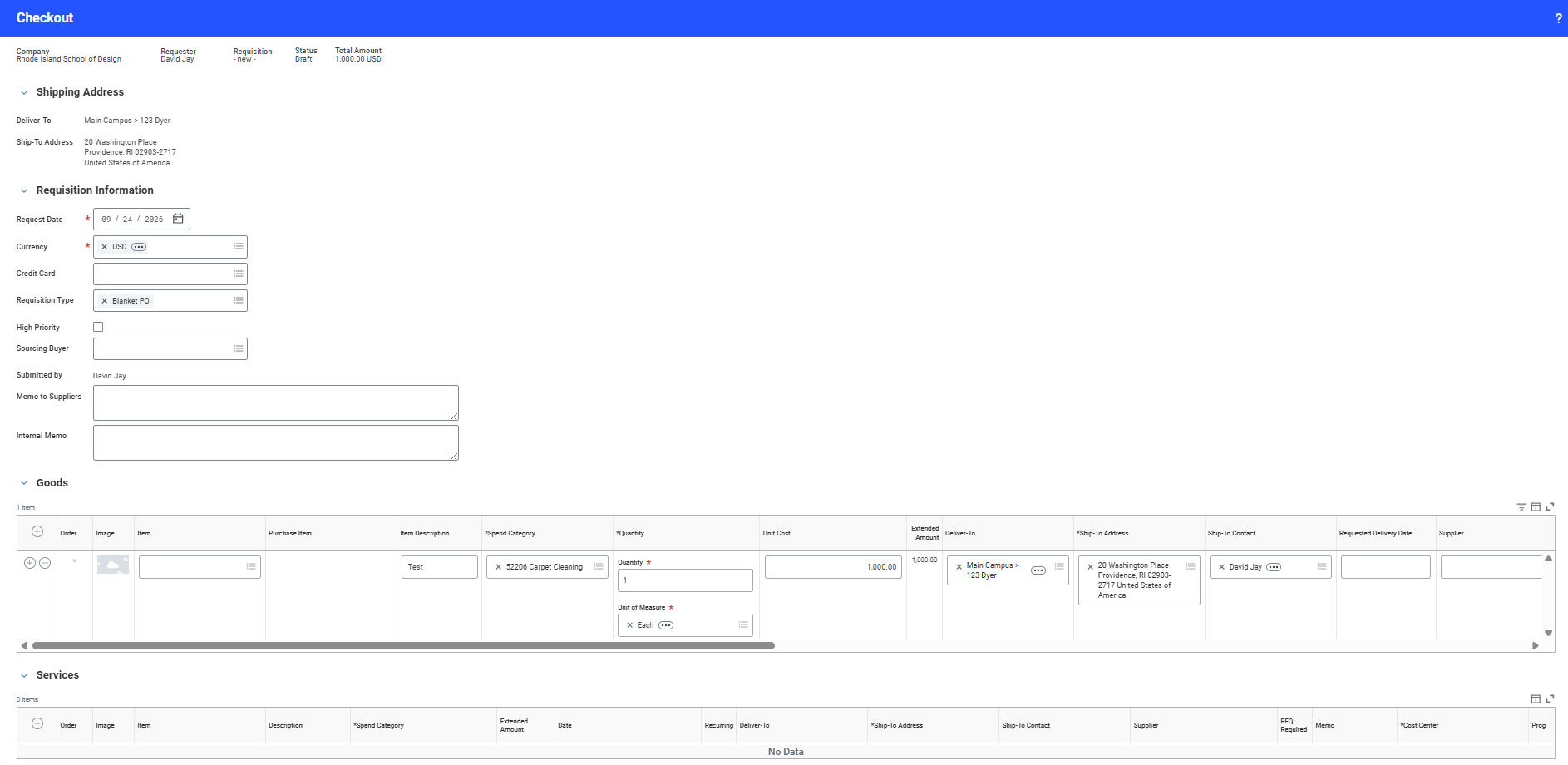
7) On the final screen, verify the information on your item string and account string. When complete, click "submit". The requisition will no go through any needed approvals.
Was this article helpful?
That’s Great!
Thank you for your feedback
Sorry! We couldn't be helpful
Thank you for your feedback
Feedback sent
We appreciate your effort and will try to fix the article